 Meta Description
Cursor is an AI-powered code editor designed to help developers navigate, understand, refactor, and write code using natural language directly inside the IDE. This article explores how Cursor works, its real strengths, limitations, and how it differs from traditional AI coding assistants.
Introduction
Most AI coding tools today are add-ons. They plug into existing editors and assist with autocomplete, snippets, or small suggestions. While useful, these tools still treat code as something written line by line, file by file.
Cursor takes a different approach.
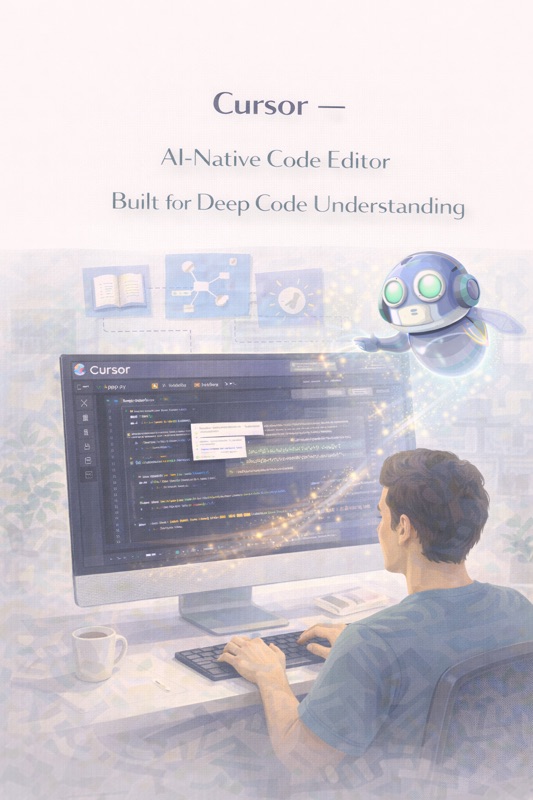
Instead of adding AI on top of an editor, Cursor is built as an AI-native code editor—one where understanding, navigating, and modifying large codebases is a first-class capability rather than an afterthought.
This difference matters. As software systems grow larger, the challenge is no longer just writing code, but understanding existing code, tracing logic across files, refactoring safely, and answering questions like:
- “Where is this behavior implemented?”
- “What breaks if I change this?”
- “How does this system actually work?”
Cursor is designed to answer those questions.
What Is Cursor?
Cursor is a standalone code editor built on top of Visual Studio Code foundations, enhanced with deeply integrated AI capabilities. It allows developers to interact with codebases using natural language, enabling tasks such as:
- Asking questions about the codebase
- Refactoring code via instructions
- Generating new logic with full project context
- Understanding complex systems faster
Cursor is not just an autocomplete tool. It is an AI interface to your codebase.
Core Philosophy Behind Cursor
Cursor is built around one key idea:
Developers spend more time reading and understanding code than writing it.
This philosophy drives Cursor’s design:
- AI should understand the entire project, not just the current file
- Developers should be able to talk to their codebase
- Refactoring should be instruction-driven, not manual
- Context matters more than raw generation
Cursor prioritizes code comprehension and transformation, not just speed typing.
How Cursor Works
Codebase-Wide Context Awareness
Unlike traditional AI coding assistants that operate within a single file, Cursor indexes and understands:
- Multiple files
- Folder structures
- Function references
- Imports and dependencies
- Internal APIs and patterns
This allows it to reason across the project instead of guessing locally.
Natural Language Code Interaction
Developers can highlight code or select files and ask Cursor questions such as:
- “What does this function do?”
- “Where is this used?”
- “Refactor this to be more readable”
- “Convert this logic to async”
- “Add error handling here”
Cursor then proposes changes directly in the code, which developers can review and accept.
Instruction-Based Refactoring
Cursor shines in refactoring scenarios. Instead of manually rewriting code, developers can:
- Describe the desired change in plain English
- Let Cursor generate a diff
- Review changes before applying them
This makes large-scale refactors less intimidating and more controlled.
Inline Generation with Context
Cursor also supports traditional inline code generation:
- Completing functions
- Generating boilerplate
- Writing new features
However, its real advantage is that these generations are aware of project-wide conventions, not just syntax.
Supported Languages and Tech Stacks
Cursor supports most major programming languages used in modern development, including:
- JavaScript / TypeScript
- Python
- Go
- Java
- C / C++
- Rust
- PHP
- Ruby
It is particularly strong in projects with:
- Frontend frameworks
- Backend services
- Full-stack monorepos
Practical Use Cases
Understanding Large Codebases
One of Cursor’s strongest use cases is onboarding. New developers can:
- Ask questions about unfamiliar code
- Trace logic paths quickly
- Understand system architecture faster
This reduces the time needed to become productive in complex projects.
Safe Refactoring
Refactoring large systems is risky. Cursor helps by:
- Understanding usage across files
- Updating references consistently
- Reducing human error
Developers still review changes, but the mechanical work is automated.
Legacy Code Maintenance
Cursor is particularly useful in older codebases where:
- Documentation is missing
- Original authors are unavailable
- Logic is scattered
Being able to ask “why does this exist?” directly to the codebase is a major advantage.
Feature Development with Context
When adding new features, Cursor can:
- Follow existing patterns
- Respect internal APIs
- Generate code that fits the project style
This reduces the risk of introducing inconsistent logic.
Strengths of Cursor
Deep Context Awareness
Cursor’s ability to reason across files is its biggest differentiator. This makes it far more useful for real-world projects than file-limited assistants.
Refactoring Power
Instruction-driven refactoring is where Cursor truly stands out. Tasks that normally take hours can often be reduced to guided edits.
Minimal Workflow Disruption
Because Cursor is built on familiar editor foundations, developers do not need to relearn how to code—only how to ask better questions.
Developer Control
Cursor does not force changes. All AI-generated modifications are reviewable and optional.
Limitations and Constraints
Requires Trust but Not Blind Trust
Cursor can still:
- Misinterpret intent
- Miss edge cases
- Propose changes that need adjustment
Human review remains mandatory.
Performance on Extremely Large Repos
Very large monorepos may require indexing time and can strain AI context limits.
Learning Curve for Prompting
Developers must learn how to:
- Phrase instructions clearly
- Scope requests properly
- Review diffs critically
Cursor rewards clarity.
Not a Replacement for Design Decisions
Cursor understands code structure, not business goals or user needs.
Cursor vs Traditional AI Coding Assistants
|
Aspect
|
Cursor
|
Editor Plugins
|
|
Context Scope
|
Project-wide
|
File-based
|
|
Refactoring
|
Instruction-driven
|
Manual
|
|
Code Understanding
|
Strong
|
Limited
|
|
Learning Focus
|
Code comprehension
|
Code writing
|
|
Best For
|
Large codebases
|
Fast typing
|
Cursor prioritizes understanding over autocomplete speed.
Impact on Developer Workflow
Cursor changes how developers think about code:
- Less manual navigation
- More intent-driven changes
- Faster comprehension
- Reduced cognitive load
It shifts development from typing to directing.
Responsible Use Guidelines
To use Cursor effectively:
- Always review diffs
- Avoid large blind changes
- Combine AI suggestions with tests
- Use version control aggressively
Cursor accelerates work—but responsibility stays human.
Position in the AI Development Landscape
Cursor represents a new category:
AI-native development environments
Instead of assisting writing, it assists thinking about code.
This positions Cursor closer to:
- Architectural reasoning tools
- Code intelligence systems
- Developer cognition aids
Rather than simple autocomplete engines.
Final Insight
Cursor is not designed to replace developers or write entire applications autonomously. Its strength lies in code understanding, refactoring, and navigation—the hardest and most time-consuming parts of real-world development.
For developers working on serious codebases, Cursor can become less of a tool and more of a collaborator—one that helps reason about software rather than merely generate it.
The future of AI-assisted development is not about typing faster.
It is about understanding deeper.
Cursor is one of the clearest steps in that direction.


Comments
Post a Comment